

Background
Brands of Scandinavia A/S is a wholesale brand distribution business operating across the European market. The organization manages a significant volume of daily transactional activity — sales, purchasing, inventory, and finance — all running through its Microsoft Navision ERP system. Over time, the business accumulated years of rich, granular data. The challenge was not a lack of data — it was a lack of reliable, accessible ways to use it.
Reporting had evolved organically rather than by design. Business-critical insights were locked in manually refreshed Excel pivot tables, and analytical queries were scattered across dozens of undocumented SQL scripts that directly hit the live Navision database. Different scripts returned different numbers, creating persistent confusion and eroding trust in the data across the organization. Every new report required developer time; business users had no way to explore data independently.
When Brands of Scandinavia A/S announced plans to migrate from on-premise Microsoft Navision to Microsoft Dynamics 365 Business Central, the reporting situation became strategically urgent. Business Central does not expose a direct SQL connection — it provides governed API access instead. Every existing SQL script would fail at the ERP cutover point. The organization needed to solve two problems simultaneously: immediately replace the fragile Navision reporting process and build an infrastructure fully ready for the Business Central era.

Challenges
The core technical challenge was fragility by design. Dozens of custom SQL queries ran directly against the live Navision database — undocumented, ungoverned, and written by individuals who had since moved on. These scripts were single points of failure: any schema change in Navision could silently break a report, and there was no audit trail to determine which script was authoritative when figures conflicted. Business users had no visibility into any of this; they simply received spreadsheet exports and had to trust the numbers.
The manual overhead was significant. Key weekly reports relied on manually refreshed pivot tables, consuming hours of developer and analyst time each cycle. This bottleneck slowed the reporting process’s response to business questions and made it vulnerable to human error at every step. There was no self-service capability; every new view into the data required a new developer engagement.
The planned ERP migration introduced a structural deadline. Microsoft Dynamics 365 Business Central exposes data through OData v4 REST APIs and Microsoft’s governed API layer — not raw SQL. The entire existing reporting stack was incompatible with the destination system. Without intervention, the organization would face a complete analytics blackout at the moment of migration cutover. On top of this, there was no plan to preserve Navision’s historical data, meaning multi-year trend analysis would become impossible the moment the old system was decommissioned.
Solution
We designed and delivered an end-to-end analytics architecture with a single governing principle: the reporting layer must be independent of the ERP system in use at any given time. The result is a governed data warehouse fed by Azure Data Factory pipelines, serving Microsoft Power BI dashboards that the whole organization can use — and continues to work seamlessly when Business Central goes live.
Key solution elements included:
- Azure Data Factory pipelines connecting to both Navision (via direct SQL) and Business Central (via OData v4 REST API), abstracting the ERP system from the rest of the stack so a future migration requires configuration, not a rebuild.
- A dedicated SQL Server data warehouse as the single source of truth — all historical Navision data preserved and loaded alongside future Business Central data, enabling year-on-year analysis across both ERP systems without any analytical gap.
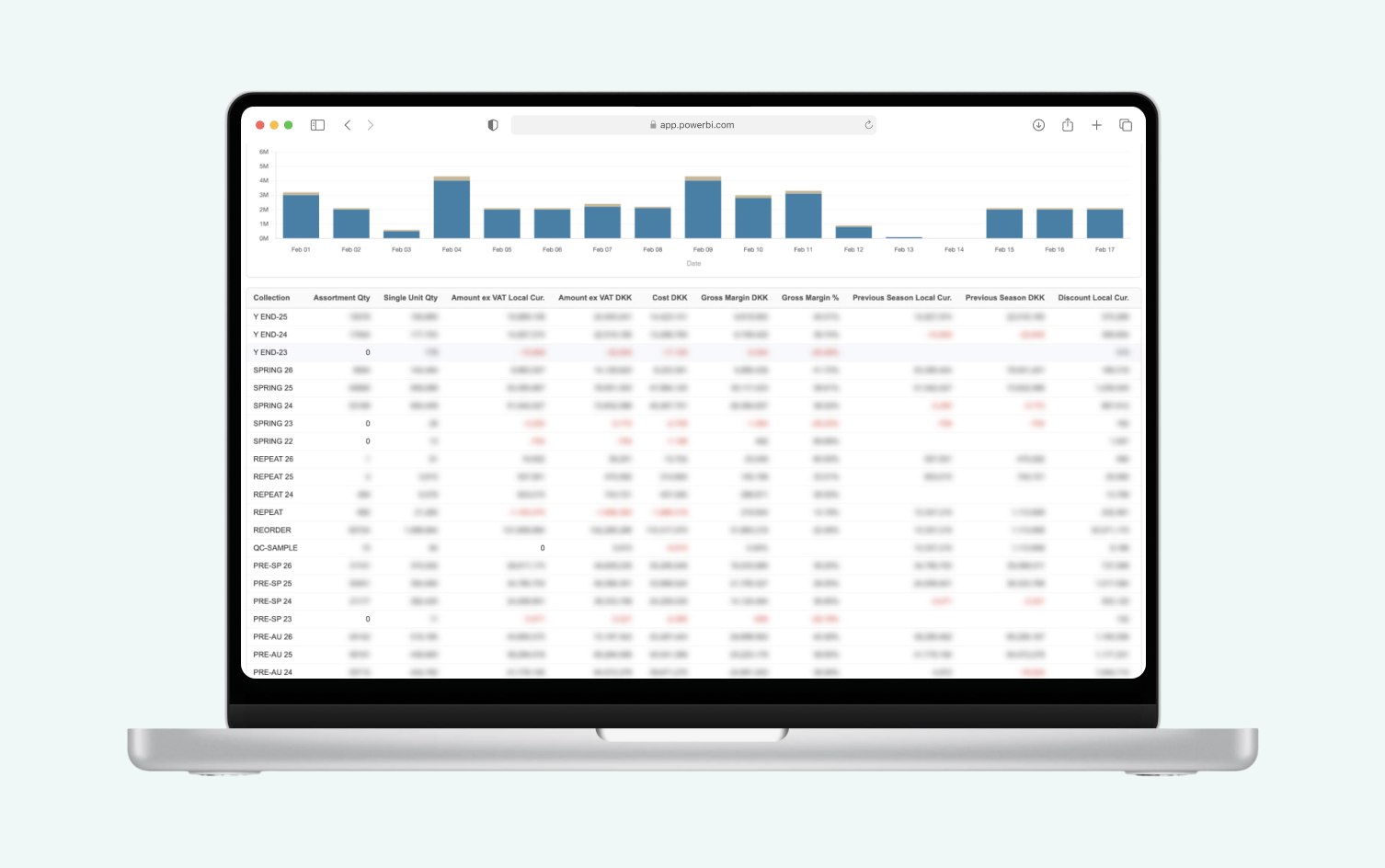
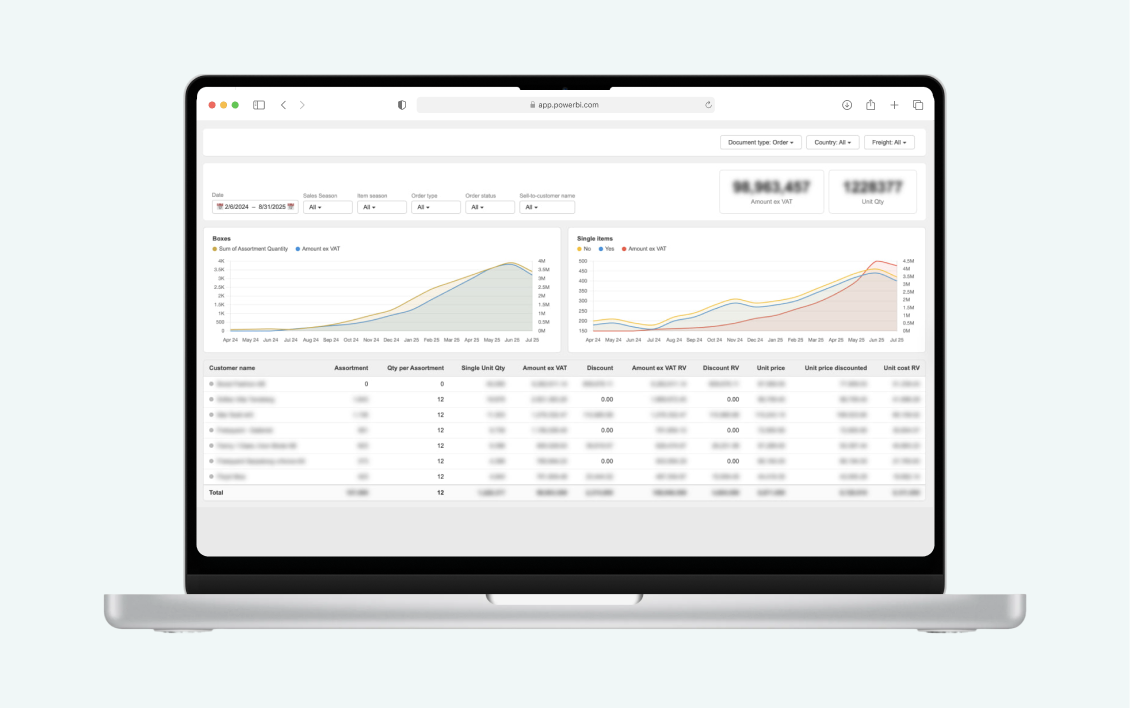
- Microsoft Power BI dashboards are directly connected to the warehouse, delivering live, self-service reporting across the organization with role-based access controls, ensuring each user sees data relevant to their function.
- Full governance and documentation applied across all data models and pipelines, replacing the undocumented, ungoverned SQL script sprawl with a transparent, maintainable architecture.
Features
Data Pipeline Layer:
- Scheduled ADF pipelines to extract, transform, and load data from Microsoft Navision on a defined cadence, replacing ad-hoc manual exports.
- Business Central connectivity configured via OData v4 REST API, covering sales, purchasing, finance, and inventory — ready to activate at ERP cutover without changes to the warehouse or reporting layer.
- ERP-agnostic pipeline architecture: switching from Navision to Business Central is a configuration exercise, not a rebuild.
Data Warehouse:
- Dedicated SQL Server database serving as the single governed source of truth for all reporting.
- Complete Microsoft Navision transaction history ingested and preserved, enabling historical trend analysis beyond the ERP migration boundary.
- Unified data model designed to accommodate both Navision and Business Central data under consistent schemas.
Microsoft Power BI Reporting:
- Organization-wide Power BI dashboards covering core KPIs — sales, purchasing, inventory, and finance — accessible to any device without developer involvement.
- Self-service analytics capability: business users explore, filter, and drill down into data independently.
- Role-based access controls ensure each user sees only data relevant to their function and seniority.
- Always-current data: dashboards automatically reflect the latest warehouse load, with no manual refresh required.
Business Central Readiness:
- Pipeline layer pre-configured for Business Central API endpoints — activating the new source requires no changes to warehouse schemas or existing Power BI reports.
- Full Navision historical data is preserved in the warehouse, guaranteeing reporting continuity and year-on-year benchmarking across the ERP boundary.
- Organizations can proceed with Dynamics 365 migration with full confidence that analytics continuity is guaranteed from day one.
Before & After
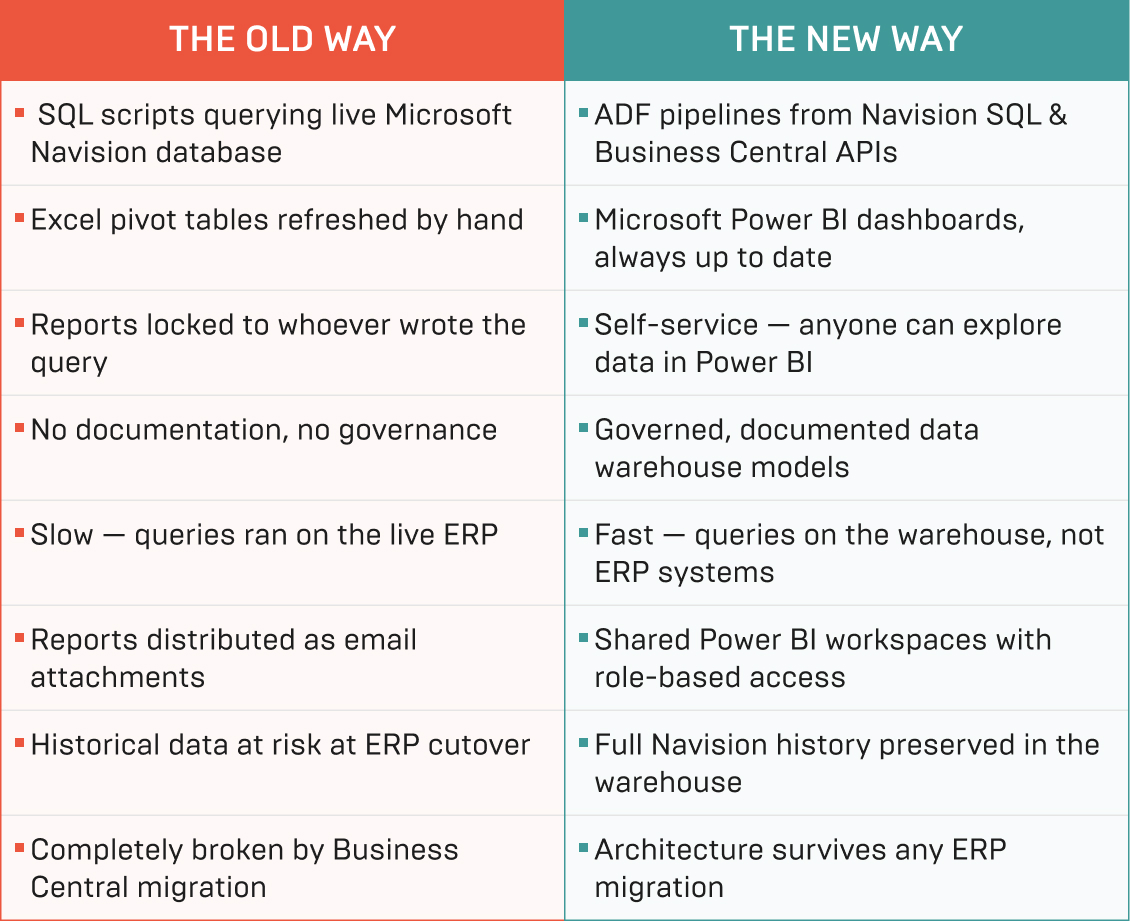
The shift from the Microsoft Navision reporting model to the new Power BI platform changes how people across the organization interact with data every day.
Outcome
- 100% of existing SQL scripts and Excel pivot tables retired — replaced by automated ADF pipelines and governed Power BI dashboards.
- 0 hours of weekly manual reporting overhead remain following the rollout of automated pipelines and live Power BI dashboards.
- 1 single version of the truth: all reporting now draws from a single, governed data warehouse, eliminating conflicting figures across teams.
- Self-service analytics adopted organization-wide — time to insight reduced from days to seconds for business users who previously had no data access without developer involvement.
- 100% of Microsoft Navision historical data is preserved in the warehouse, enabling multi-year trend analysis that will continue seamlessly after Business Central migration.
- Business Central migration readiness built in from day one — adding the new ERP as a data source requires configuration only, with no changes to the warehouse schema or existing Power BI reports
- Full analytical continuity guaranteed at ERP cutover — Brands of Scandinavia can proceed with its Dynamics 365 Business Central migration with no reporting gap or downtime.
Feedback
Reenbit’s work has streamlined processes, resulting in 50%–70% savings in time. Their use of agile methodologies has ensured a communicative and collaborative process. Their high level of expertise, proactivity, and availability is impressive. They are very good at communication.


